Exporting your design
Choose the file that matches how you will use the finished photo strip. Keep a copy of your exported package with the event files.
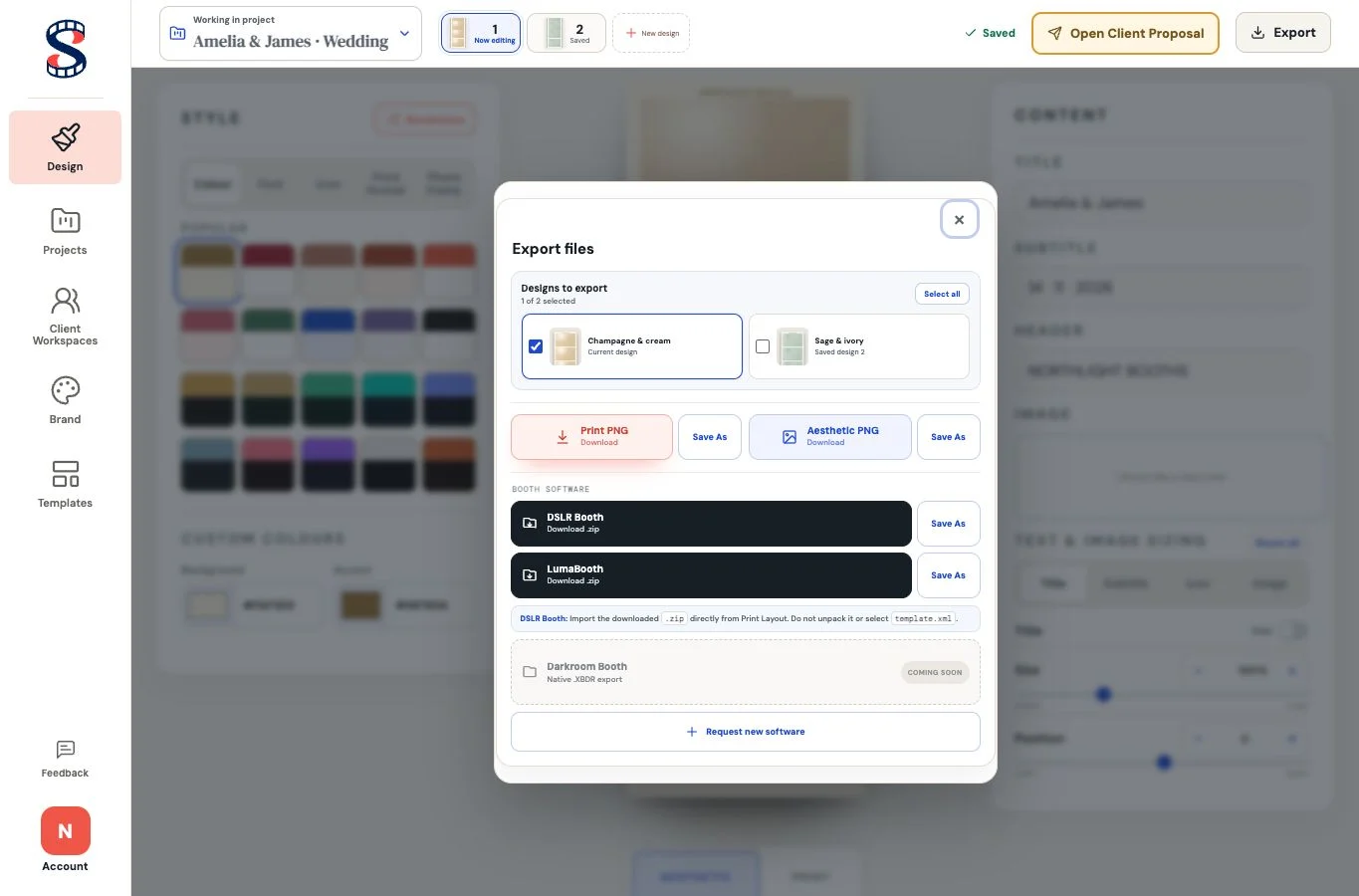
PNG files
Print PNG is the flattened production artwork at print resolution. It has no photo placeholders, so use it for printing, sharing or workflows that need a final image.
Aesthetic PNG is a presentation preview for showing the proposed look to a client. It is not the booth template package.
DSLR Booth
Choose Download to use your browser’s download location, or Save As to choose where the .zip is written. Import that ZIP directly from DSLR Booth’s Print Layout. Do not unpack the ZIP or select template.xml by itself.
The package contains the foreground, preview and template mapping. Test it in DSLR Booth before the event.
LumaBooth
Choose Download or Save As for the LumaBooth .zip package. Import the ZIP in LumaBooth and run a capture test before event use.
Download or Save As
Every export type offers both actions. Download uses your browser’s normal download location. On supported browsers, Save As opens the system file picker before the file is generated; otherwise it safely falls back to a normal download.