Sign in to save your business settings. A business name is required before creating a proposal or Client Workspace.
Add your business identity
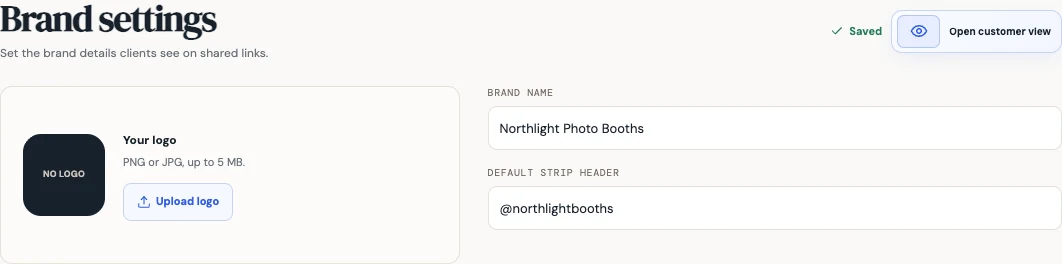
Open Brand from the sidebar. Enter the name your customers know in Brand name. Add a short business name or handle in Default strip header if you want reusable wording for new designs.
Add a logo and check the customer view
Use Upload logo to choose a PNG or JPG up to 5 MB. A clear logo with enough space around it works best at the small sizes used in client headers.
Use the customer-view preview on the Brand page to check how your identity appears on proposals and Client Workspaces. Remove logo lets you replace an old mark.
Wait for the saved indicator before leaving. If saving fails, keep the page open and use the retry action so the current settings reach your account.
Check the wording on each event
Treat the default strip header as a starting point for new work. Check the header in each design before sharing or exporting.
For a client-created design, open the submitted Client Workspace project and save its final strip header there. Its production exports use that project header; the original client submission remains available separately.
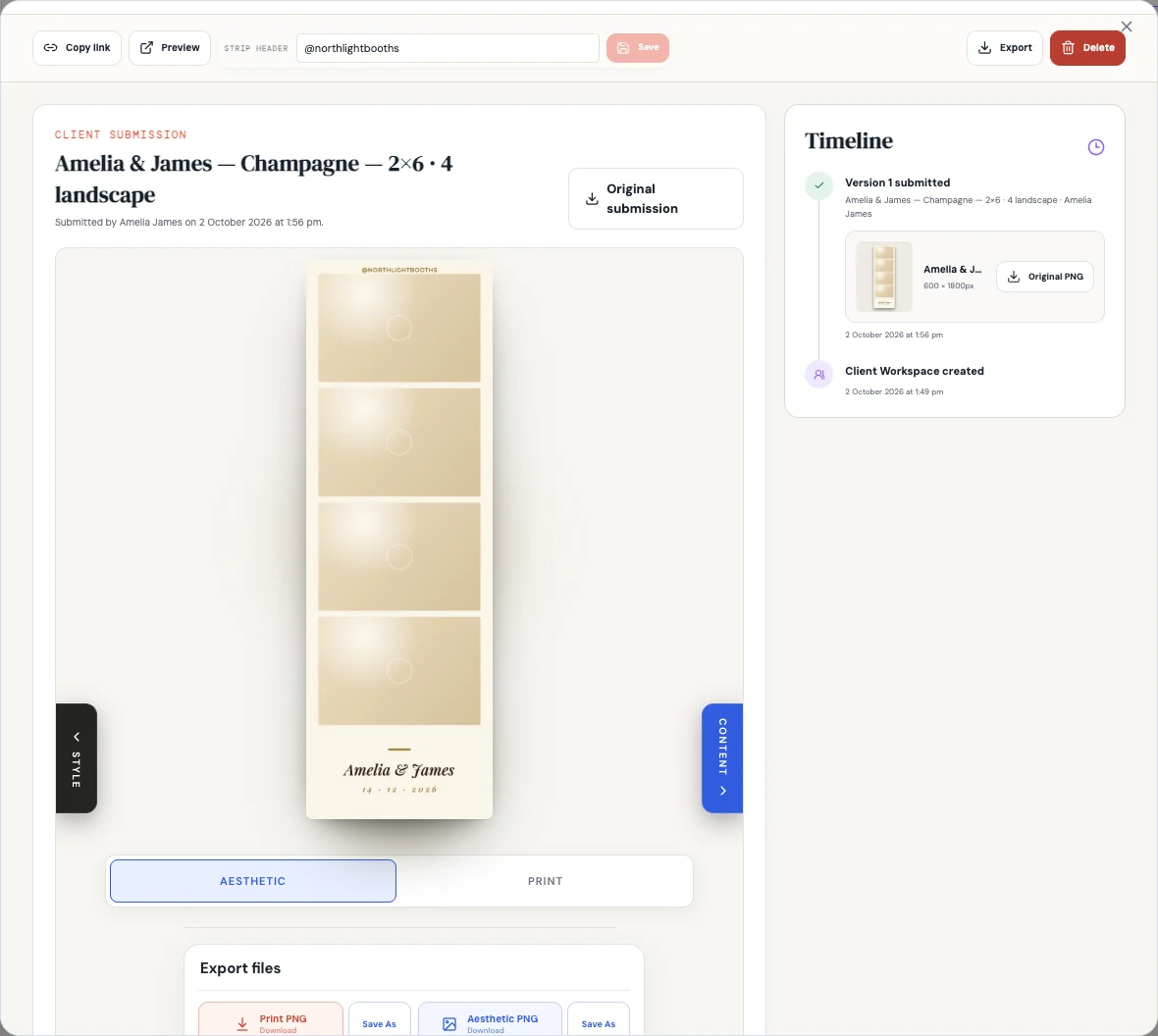
Set the final strip header, then save any changes.
Export production files with your saved header.
Find the received artwork and earlier submissions in the timeline.
Common questions
Can I set the business name while creating a client link?
Yes. If the brand name is missing, proposal and Client Workspace setup offer a quick brand step. You can revisit Brand to add a logo or refine the details later.