Sign in to see your own saved events. Client-created designs are managed separately in Client Workspaces.
Create or reopen an event
Choose New project in Projects to start an event, or use Save as project while working in Design. Use a recognisable event name and add the client and date if you know them.
Open the event card to return to its designer and saved options. The event groups the design choices and client proposal together.
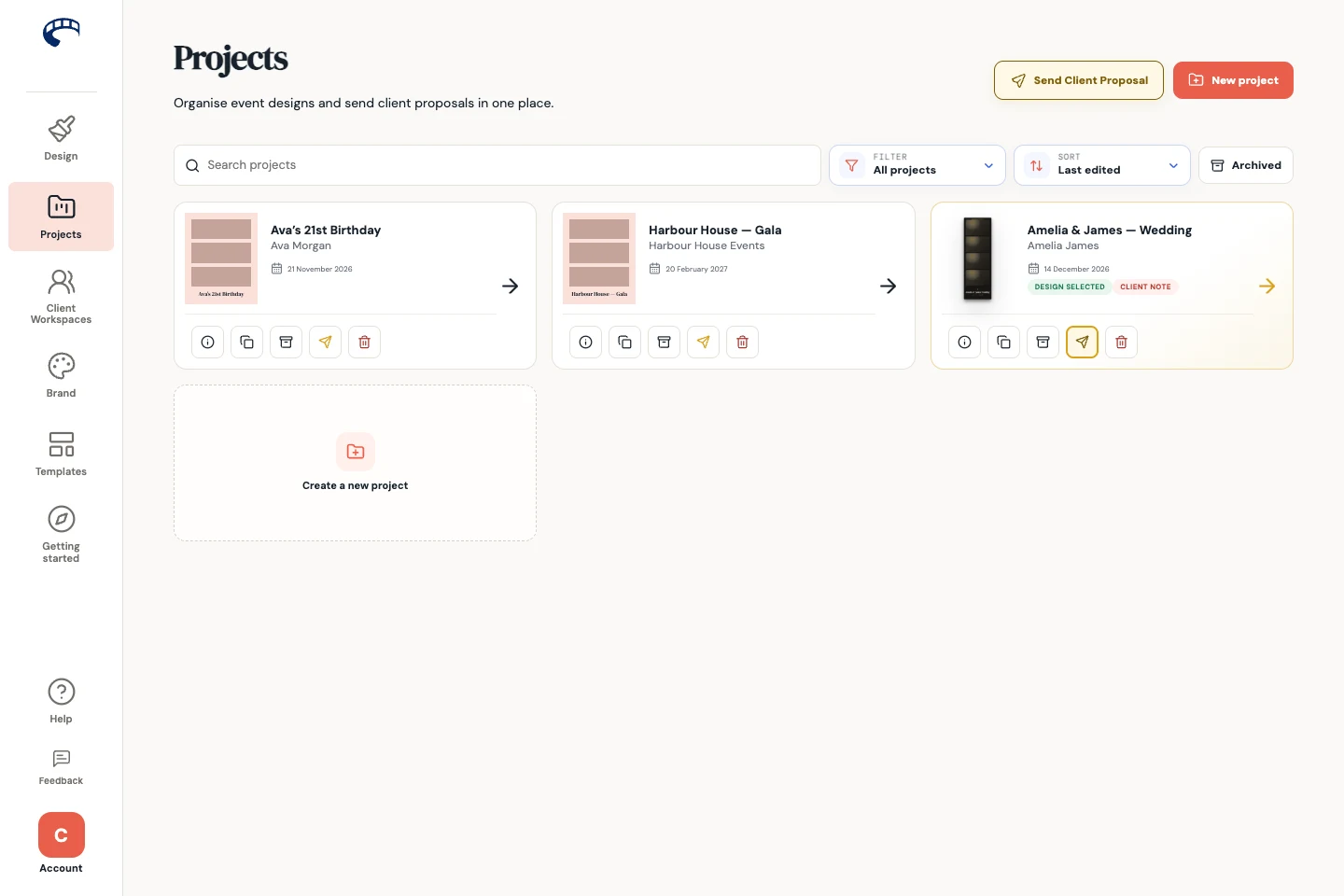
Find the project you need
Search by event or client name. Use the status filter to focus on projects awaiting a response, designs already selected, client notes or projects without a proposal. Sort by last edited, event date or title.
| Status | What to do next |
|---|---|
| Awaiting response | The review link is ready; the client has not selected a design yet. |
| Design selected | Check the chosen option and any feedback before preparing event files. |
| Client note | Open proposal activity and review the note. Mark it as read after you have actioned it. |
| No proposal | Open the design and create a Client proposal when the options are ready. |
Manage event details and finished work
Use the card's project actions to edit its details, duplicate it for a similar event or archive finished work. Archived projects can be found through the archived-projects control.
Duplicating an event gives you a separate project to adapt. Check the names and date before sharing anything with the new client.
Archive when you want to keep work but remove it from the active list. Delete permanently removes the project and its associated work; use the confirmation carefully.
Common questions
Why isn't a client-built design in the normal designer?
Client Workspace projects have their own submission and production workflow. Open them from Client Workspaces to review the submitted artwork and export it.